How to Create AI-Generated PNG Images Step by Step
Generative AI makes creating custom graphic assets easy. Learn how to write prompts, select style presets, and generate transparent PNG graphics step-by-step.
The Power of Custom AI Graphics
Every visual design project requires unique assets. Whether you are building an online catalog, designing social media ads, or creating brand logos, finding the right graphic element can be a challenge.
An AI PNG generator solves this problem by creating custom graphics from text descriptions. By combining image generation with automatic background segmentation, these tools deliver high-quality, transparent assets in seconds.
This guide walks you through the step-by-step process of creating transparent PNGs with AI, explaining prompt writing, style settings, and file optimization.
Writing Effective AI Prompts
To generate high-quality transparent assets, write specific, descriptive prompts. Keep these tips in mind:
1. Describe the Subject Clearly
Specify the main object, its colors, materials, and features (e.g., "A red sports car with chrome wheels").
2. Define the Graphic Style
Include style descriptors like "3D clay model," "flat vector illustration," "watercolor painting," or "realistic studio photography."
3. Request Background Isolation
Add guidelines like "isolated on a solid white background" or "centered on a transparent background" to help the AI model separate the subject from its surroundings.
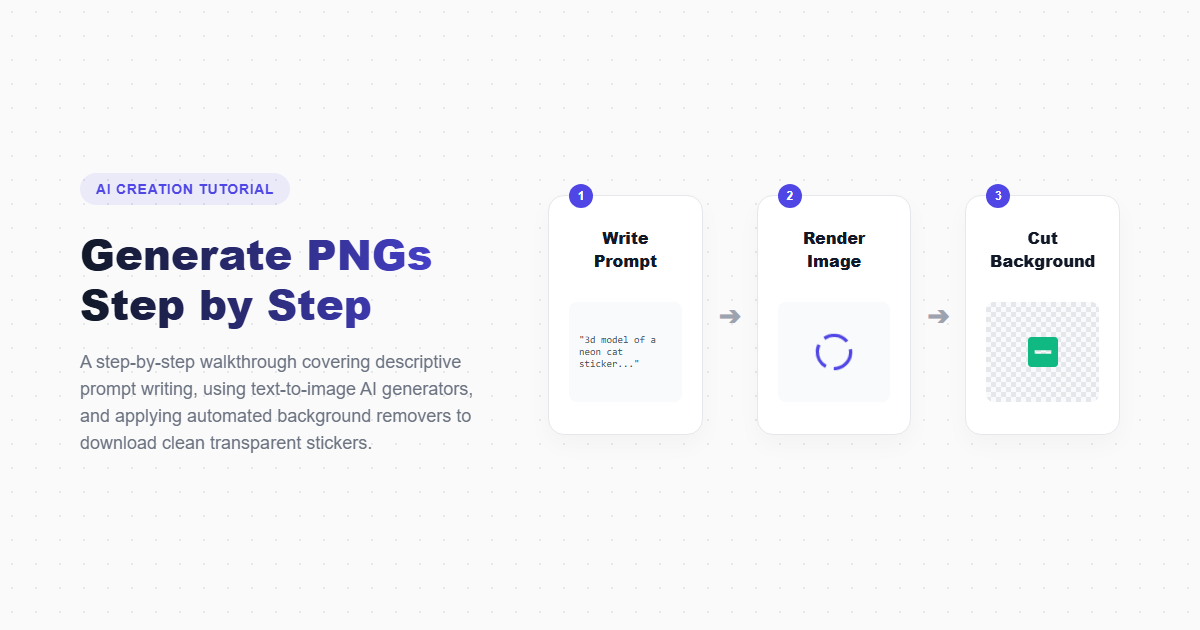
How to Generate Transparent PNGs Step-by-Step
Navigate to the AI PNG Generator
Open the imagpng.com AI Generator page. Drag and drop a reference image if you have one, or prepare to write a text description.
Write and Format Your Prompt
Enter your prompt in the text area. E.g., "A modern flat-design icon of a lightbulb with green leaves growing inside, isolated on transparent background, minimalist."
Configure Output Settings
Select a style preset (e.g., 3D asset, sticker, cartoon) and choose the output aspect ratio. Click "Generate" to start the process.
Edit and Download Your File
Review the generated preview. If the edges need adjustment, use our PNG editor to refine the cutout. Download the file, and run it through our PNG compressor to optimize it for fast page loading.
AI Generation vs. Traditional Sourcing
| Feature | AI PNG Generator | Stock Image Libraries |
|---|---|---|
| Customization | Infinite (describe anything you need) | Limited to existing library search results |
| Processing Time | Fast (under 15 seconds) | Slow (minutes or hours spent searching) |
| Uniqueness | 100% Unique (original generation) | Shared license (anyone can download it) |
| Transparency Support | Yes (Automatic alpha masking) | Rarely (usually requires manual cutouts) |
Key Benefits
- Instantly generates custom, unique graphics for branding projects.
- Saves time and money compared to licensing stock images.
- Outputs high-resolution transparent PNG files.
- Allows you to experiment with design ideas quickly.
Technology Limitations
- AI struggles to render legible text inside illustrations.
- Complex anatomical features (like hands and fingers) can sometimes look distorted.
- Requires precise prompt engineering to achieve specific styles.
Frequently Asked Questions
Are AI-generated images copyrighted?
Under current copyright laws in many jurisdictions, AI-generated images are not subject to traditional copyright protections. You can use them freely in commercial and personal projects.
What makes a prompt "AI-friendly"?
A good prompt is specific, describing the subject, style, color palette, and framing. E.g., "A 3D render of an orange coffee mug, isolated on a transparent background, minimalist studio lighting."
Can I convert these generations to vectors?
Yes. You can download the transparent PNG and use a vectorizer tool to convert it to an SVG file for print and logo design.
Does the generator charge per prompt?
Registered users get free monthly generation credits. High-frequency users can subscribe to premium plans for additional credits.
Can the AI generate icons in specific shapes?
Yes. You can specify geometric shapes in your prompt (e.g., "circular shield badge icon") to guide the AI's output.
Generate Custom Transparent PNGs Instantly
Describe what you need and let our AI PNG Generator create custom stickers, icons, and illustrations with transparent backgrounds in seconds.