PNG vs WebP: Which Image Format Is Better for Websites?
Web performance requires choosing the right image formats. Compare PNG and WebP to see which format is better for site speeds, SEO rankings, and design workflows.
The Battle of Modern Web Image Formats
Images are the most common source of page weight on the web. As web developers and designers aim to build faster, more responsive websites, selecting the right format is critical. For years, PNG was the default choice for high-quality images and transparent graphics. However, Google's next-gen WebP format has emerged as a strong alternative.
While PNG is known for its lossless quality and robust transparency support, WebP was created specifically for the web. It offers both lossy and lossless compression, smaller file sizes, and transparent alpha channels, making it a versatile option for modern pages.
By utilizing tools like a PNG compressor, a PNG converter, or an online remove background online tool, you can manage both formats easily. This guide compares PNG and WebP, helping you choose the best format for your web projects.
Comparing WebP and PNG Technologies
To compare these formats, it helps to understand their underlying technology:
1. PNG (Portable Network Graphics)
PNG uses lossless DEFLATE compression. It is excellent for sharp details, line drawings, text, and screenshots. It supports TrueColor (24-bit) and an 8-bit transparent channel, making it a reliable standard for digital designers.
2. WebP (Web Picture Format)
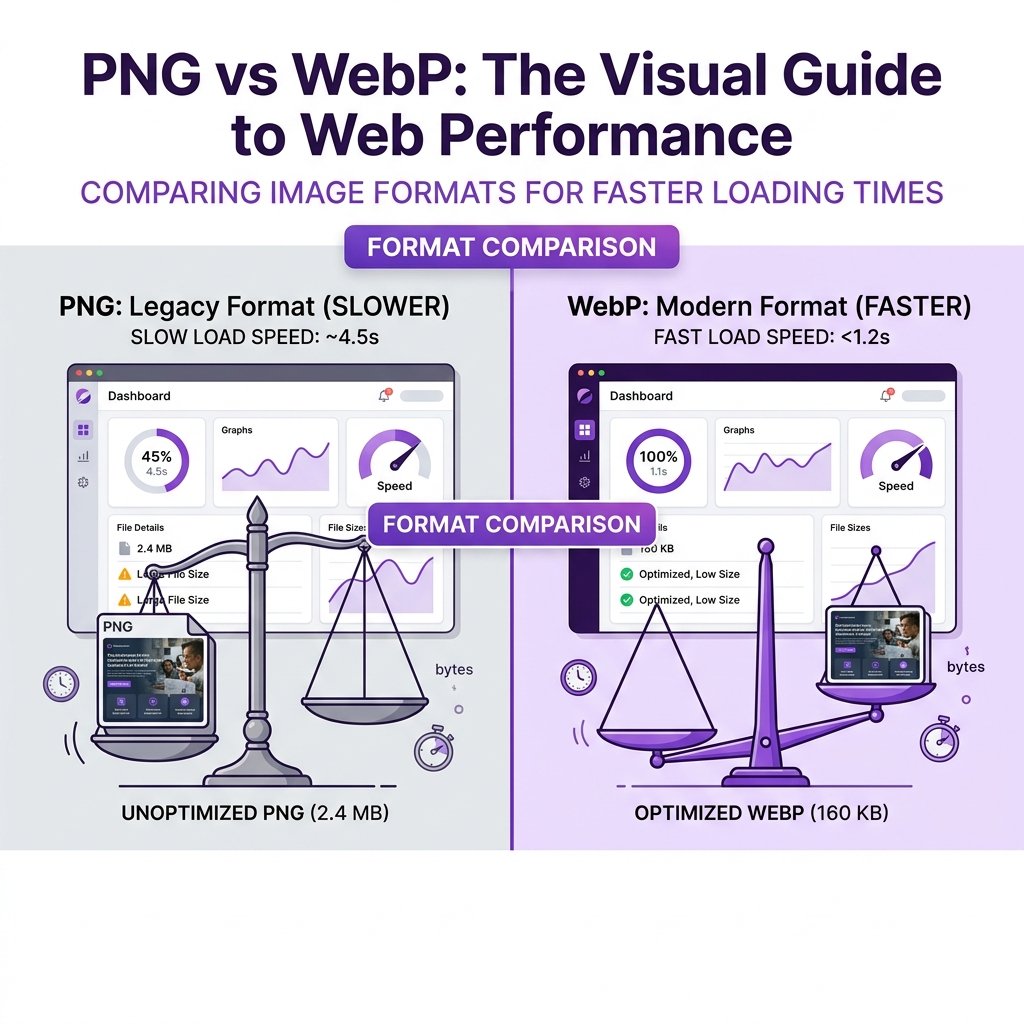
Developed by Google, WebP uses compression based on the VP8 video codec. Lossless WebP compresses images by predicting pixel values based on neighboring blocks, leading to file sizes that are typically 26% smaller than equivalent PNGs. Lossy WebP uses predictive coding to discard less noticeable visual data, reducing sizes by up to 34% compared to JPEGs.
How to Convert PNG to WebP Online
Upload Your PNG Images
Open the imagpng.com Multi-Format Converter. Drag and drop your PNG graphics or logos into the upload area.
Select WebP Output Format
Select "WebP" as your target format. Choose between lossless WebP (to preserve details) or lossy WebP (for the smallest file size).
Download Your Optimized WebP File
Click "Convert." Download the optimized WebP image, which will maintain transparency while featuring a significantly smaller file size.
Format Comparison Matrix
| Feature | PNG (Portable Network Graphics) | WebP (Web Picture Format) |
|---|---|---|
| Compression Type | Lossless only | Both Lossless and Lossy |
| Transparency Support | Yes (Alpha channel) | Yes (Alpha channel in lossy & lossless) |
| File Size Efficiency | Larger (due to exact detail retention) | Smaller (usually 25% - 35% smaller than PNG) |
| Browser Compatibility | Universal support (99.9%) | Universal in modern browsers (97.5%) |
| Animation Support | No (requires APNG extension) | Yes (supports animated WebP) |
When to Use WebP
- You want to improve website loading speeds and LCP scores.
- You are saving complex illustrations or photography that require transparent backgrounds.
- You need support for lightweight, animated image loops.
- You want to reduce mobile data usage for your site's visitors.
When to Use PNG
- You are saving high-quality master copies of design templates.
- Your graphics feature high-contrast text, code listings, or technical mockups.
- You need sRGB color profile support for screen editing apps.
- You need compatibility with legacy browsers.
Frequently Asked Questions
Does WebP support transparency?
Yes. WebP supports transparency in both its lossless and lossy compression modes. It is a highly optimized alternative to transparent PNGs for web design.
Are WebP images supported in Safari?
Yes, Apple added full WebP support in macOS Big Sur and iOS 14. All modern versions of Safari, Chrome, Firefox, and Edge render WebP images natively.
Should I keep PNG fallbacks for WebP?
For most websites, fallbacks are no longer necessary, as modern browser compatibility is very high. However, you can use the HTML `
Does WebP format affect image SEO?
Yes, in a positive way. Smaller WebP images load faster, which improves your LCP scores and user experience, helping boost your search rankings.
Can Photoshop open and save WebP files?
Yes, Adobe Photoshop includes native support for opening, editing, and exporting WebP files.
Convert Your PNGs to Next-Gen WebP Instantly
Keep your image quality and transparency while reducing file sizes by up to 35% with our free online PNG converter.