Why Transparent PNG Images Are Important for Designers
Transparent graphics are the building blocks of modern visual design. Discover how isolated assets, alpha channels, and layering techniques improve UI design, brand consistency, and digital marketing.
The Power of Layered Visuals
Graphic design is the art of composition. Whether building a complex website homepage, a marketing flyer, or a social media graphic, designers combine text, colors, shapes, and images to communicate a message.
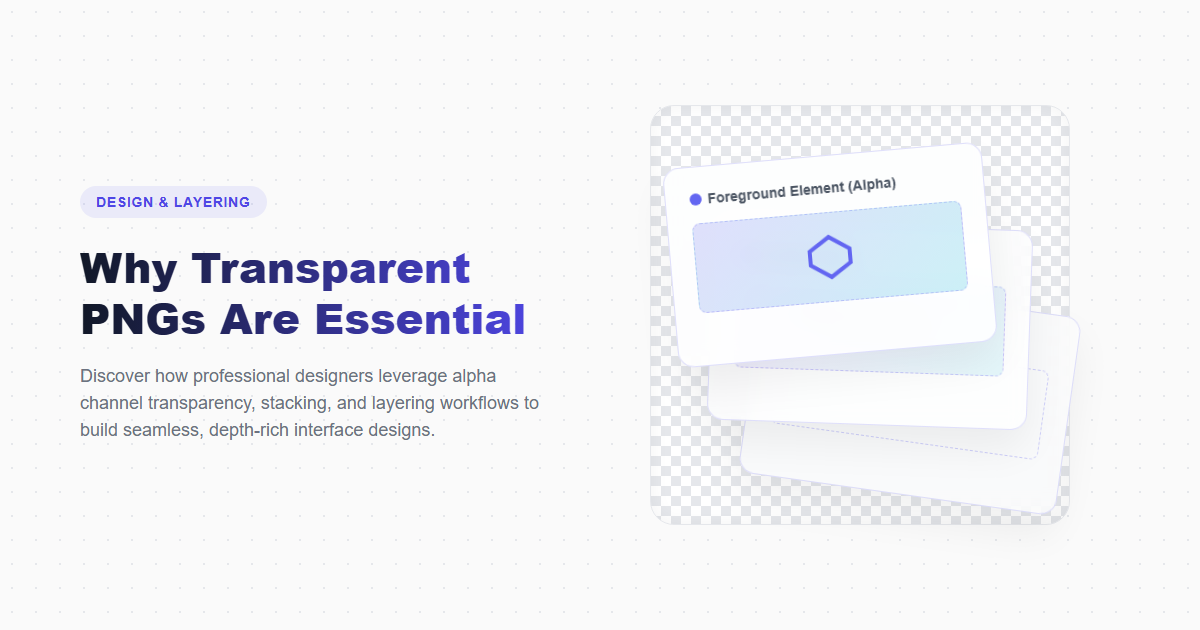
To combine these elements effectively, designers rely on layers. Having individual design assets isolated on a transparent PNG allows you to stack elements, add depth, and create dynamic layouts. Without transparency, every graphic element would be trapped inside a solid rectangular box, making modern design styles difficult to achieve.
This guide explores why transparent PNGs are essential for digital designers, explaining layering techniques, mockup workflows, and asset optimization.
Layout Layering and UI Depth
On the web, transparency allows for complex, multi-layered visual depth. Web browsers stack elements along the "z-axis" (controlled via CSS `z-index`). A transparent PNG asset can be placed between a text header and a background pattern, allowing elements to overlap cleanly.
This layering capability is crucial for:
- Parallax Scrolling: Creating depth by moving background, middle-ground, and foreground transparent elements at different speeds as the user scrolls.
- Hero Images: Placing isolated products or character cutouts over gradient backgrounds, text headings, and decorative shapes.
- Responsive UI Elements: Layering buttons, notifications, and menus over background pages while keeping borders clean and sharp.
How to Layer Transparent PNGs in Design
Isolate Your Assets
Use an online remove background online tool to isolate your primary subject, removing any solid background boxes to create a transparent PNG.
Organize Layer Hierarchy
In your design software (like Figma or Photoshop), place your background layer first, add text or graphics as middle layers, and position your transparent PNG cutout on top.
Apply Edge Softness or Drop Shadows
Add a soft drop shadow or adjust the edge blending in our PNG editor to make the cutout fit naturally into the new layout.
Compress the Final Layout
Run the completed graphic through our PNG compressor to optimize the file size, helping the page load quickly without sacrificing detail.
Design Workflow: Isolated vs. Flat Assets
| Parameters | Isolated PNG (Transparent) | Flat JPG (Solid Background) |
|---|---|---|
| Layout Flexibility | High (can layer over any color, shape, or photo) | Low (requires solid background matches) |
| Edge Anti-Aliasing | Smooth blending with alpha channel | Creates halos if background changes |
| Interactive Web Effects | Supports zoom, overlap, and hover effects | Restricted to simple rectangular box shapes |
| Average File Size | Larger (due to alpha channel detail) | Smaller (highly compressed pixel blocks) |
Creative Benefits
- Enables clean overlays and z-axis depth in web designs.
- Improves brand consistency by letting logos adapt to different backdrops.
- Simplifies creating professional e-commerce product mockups.
- Allows for clean typography placement around isolated subjects.
Creative Challenges
- Requires additional processing time to create clean edges.
- Produces larger files that require compression to maintain fast loading times.
- Low-contrast edges can blend poorly if background colors aren't selected carefully.
Frequently Asked Questions
What is z-index in CSS?
The `z-index` property in CSS determines the stack order of positioned elements. Elements with higher z-index values display on top of those with lower values along the screen's depth axis.
Why do transparent PNGs look cleaner than GIFs?
PNG supports 8-bit alpha channels, offering 256 levels of transparency for smooth anti-aliasing. GIF supports only binary transparency (either fully opaque or fully transparent), resulting in jagged edges and halo artifacts.
How do I crop extra space around a transparent PNG?
You can crop the image using our browser-based PNG editor, reducing empty margins and making alignment in design layouts easier.
Can I convert a transparent PNG to an SVG?
Yes. You can trace the pixels of your transparent PNG and convert them into vector coordinates, exporting the design as an SVG vector file.
How do I optimize transparent PNGs for mobile devices?
Run the files through our online PNG compressor to strip unnecessary metadata and optimize color profiles, improving site loading speeds on mobile connections.
Access Free Transparent Design Resources
Upgrade your design workflow. Download thousands of free, high-resolution transparent PNG graphics or create custom logos with our AI-driven design tools.