How to Edit PNG Images Online Without Photoshop
Need to quickly crop, annotate, or edit transparent PNG assets? Learn how to perform these edits directly in your web browser without opening Photoshop.
The Power of Lightweight Online Editors
For years, Adobe Photoshop was the undisputed standard for editing images. However, desktop software can be expensive, resource-heavy, and difficult to learn. For common design tasks like cropping transparent margins, adding text overlays, or editing colors, opening a complex desktop app is often unnecessary.
Modern browser-based PNG editor tools utilize WebGL and HTML5 Canvas APIs to offer fast, responsive editing. They allow you to manipulate layers, apply filters, and preserve transparent channels in your web browser.
This guide walks you through editing transparent PNGs online, highlighting the tools and techniques you can use to simplify your workflow.
How Online Image Editors Work
Browser-based editors have evolved significantly due to two key technologies:
1. HTML5 Canvas API
The Canvas API allows web applications to render and manipulate pixel data dynamically. It enables features like brush strokes, text rendering, and image resizing to process directly on your device.
2. WebGL (Web Graphics Library)
WebGL uses your device's graphics processor (GPU) to run complex image filters and layer adjustments in real time, providing smooth performance even with high-resolution files.
How to Edit a Transparent PNG Online
Upload Your PNG Asset
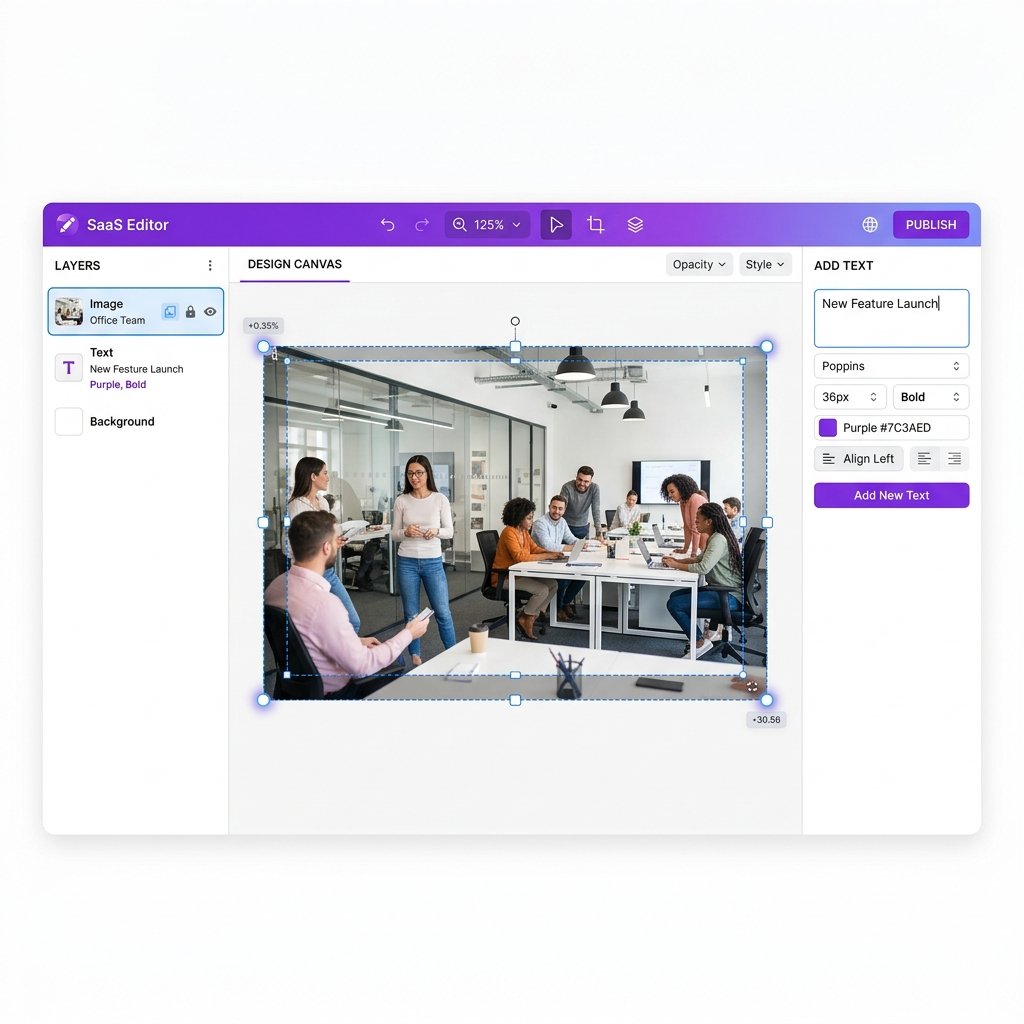
Go to the imagpng.com Online Editor page. Upload your transparent PNG file. The editor will display the image against a checkered grid, representing transparency.
Crop and Trim Margins
Use the crop tool to trim empty transparent space around your subject, helping reduce the final file size and making alignment easier.
Add Annotations, Text, or Overlays
Use the text tool to add annotations or labels. You can also upload additional image layers (like logos or badges) and adjust their opacity and placement.
Export Your Edited Image
Click the "Export" button and select PNG. Run the exported file through our PNG compressor to optimize it for fast page loading.
Comparing Editing Workflows
| Features | imagpng.com Online Editor | Adobe Photoshop (Desktop) |
|---|---|---|
| Cost | Free (no subscription required) | Paid subscription ($20.99/mo+) |
| System Resources | Low (runs in web browser) | High (requires high-end CPU/GPU and RAM) |
| Learning Curve | Low (intuitive, single-purpose controls) | High (requires tutorials and training) |
| Layer Support | Basic layering and masks | Advanced multi-layer composition |
Editor Advantages
- Instant startup without software downloads or license checks.
- Preserves transparent backgrounds and alpha blending automatically.
- Free to use, reducing design software costs.
- Simplified interface designed for quick tasks.
Editor Constraints
- Less suitable for complex, multi-layered editing projects.
- Requires a stable internet connection to load the application.
- Fewer advanced filtering and selection tools than Photoshop.
Frequently Asked Questions
Will using an online editor degrade my image quality?
No. Our editor processes files losslessly, ensuring that original pixel data and transparent channels are preserved during edits.
Can I remove backgrounds inside this editor?
Yes. The editor features integration with our remove background online tool, allowing you to isolate subjects in a single click.
How do I crop empty margins around my transparent PNG?
Use the crop tool and adjust the selection box around the edges of your subject, then apply the crop to trim the transparent space.
Can I edit text layers after exporting?
No, once exported as a PNG, text layers are rasterized into pixels and cannot be edited. Save your layout as a project file before exporting if you plan to edit the text later.
What is the file size limit for uploads?
The online editor supports file uploads up to 15MB, which is plenty for standard web assets.
Edit Your PNG Files Online for Free
Crop transparent margins, add text, adjust layers, and optimize your graphic assets with our lightweight PNG editor.