The Ultimate Guide to Image Formats: PNG, JPG, SVG, and WebP
Choosing the right image format is critical for visual quality, web performance, and brand consistency. Explore this comprehensive guide comparing PNG, JPG, SVG, and WebP.
The Modern Landscape of Digital Image Formats
Images are the lifeblood of digital communication. They decorate web pages, illustrate articles, display product catalogs, and establish brand identities. However, the files representing these visuals are not all created equal.
Understanding the structural differences between PNG, JPG, SVG, and WebP is crucial for choosing the right format. By utilizing tools like a PNG converter, a PNG compressor, or an AI remove background online tool, you can optimize your graphics for both search engines and overall page speed.
This guide compares the four primary image formats, explaining their compression methods, color models, and ideal design workflows.
1. PNG (Portable Network Graphics)
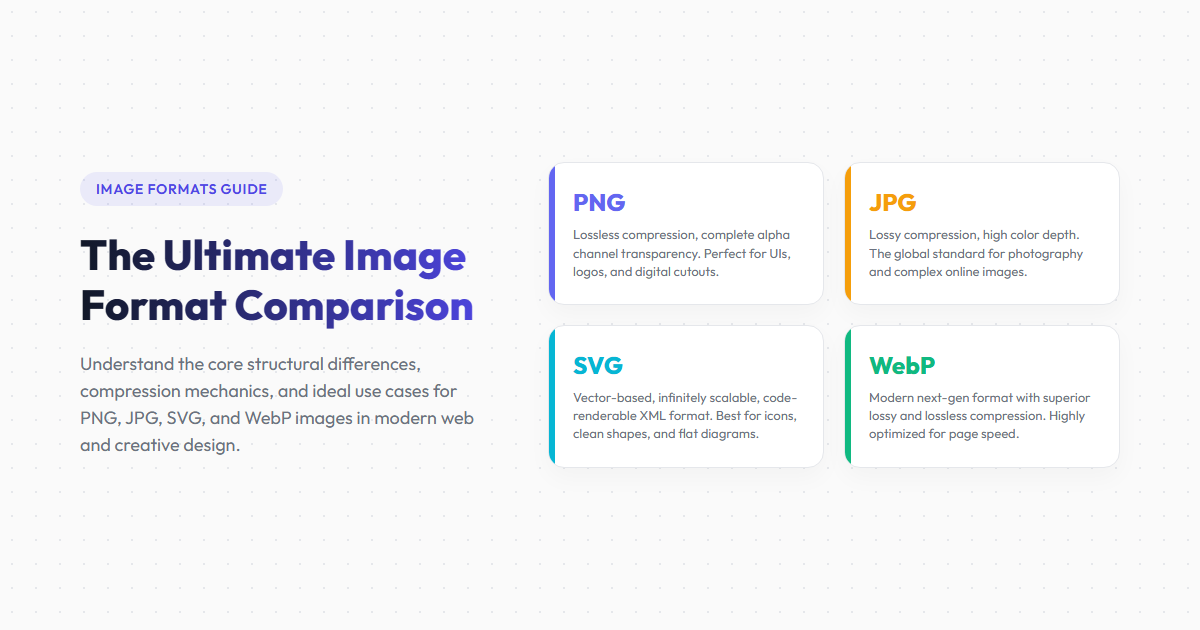
PNG uses lossless DEFLATE compression, making it excellent for sharp graphics, line art, screenshots, and text. It supports TrueColor (24-bit) and an 8-bit alpha channel, allowing you to design clean, high-quality transparent PNG assets.
Best For: Logos, website icons, user interface graphics, and product photos requiring transparent backgrounds.
2. JPG (Joint Photographic Experts Group)
JPG uses lossy Discrete Cosine Transform (DCT) compression. It shrinks file sizes by discarding visual details that are less noticeable to the human eye, making it ideal for realistic photography and complex textures.
Best For: Real-world photography, complex graphics, and large banner photos.
3. SVG (Scalable Vector Graphics)
Unlike pixel-based formats, SVG is a vector format represented in XML code. It defines shapes, lines, and curves mathematically, allowing images to scale infinitely without losing quality.
Best For: Vector logos, flat icons, simple geometric shapes, and responsive website graphics.
4. WebP (Web Picture Format)
Developed by Google, WebP uses compression based on the VP8 video codec, supporting both lossy and lossless compression. WebP images are typically 30% smaller than equivalent PNGs and JPGs, helping web pages load faster.
Best For: Modern web graphics, product catalogs, and animation loops.
Format Comparison Matrix
| Feature | PNG | JPG | SVG | WebP |
|---|---|---|---|---|
| Compression Type | Lossless | Lossy | Lossless (Vector) | Both Lossless and Lossy |
| Transparency Support | Yes (Alpha channel) | No | Yes (Native paths) | Yes (Alpha channel) |
| Scalability | Fixed pixel grid | Fixed pixel grid | Infinite (Scales losslessly) | Fixed pixel grid |
| Average File Size | Large | Medium | Very Small (for icons) | Small (optimized) |
Format Advantages
- PNG provides exact detail preservation and smooth transparency.
- JPG shrinks photographic files effectively to save bandwidth.
- SVG scales infinitely, keeping icons and flat logos sharp.
- WebP combines transparency and compression with smaller file sizes.
Format Disadvantages
- PNG files are large and can slow down page loading speeds.
- JPG does not support transparency and can introduce artifacts.
- SVG is not suitable for complex photography or rich color textures.
- WebP lacks native compatibility with older legacy browsers.
Frequently Asked Questions
What is the difference between raster and vector formats?
Raster formats (like PNG, JPG, and WebP) use grids of colored pixels, which can blur when upscaled. Vector formats (like SVG) use mathematical coordinate equations, allowing them to scale infinitely without losing quality.
Which format is best for brand logos?
SVG is the ideal format for logos, as it scales infinitely and has small file sizes. However, transparent PNG is also recommended for platforms that don't support SVG vectors.
How do I convert a PNG image to a WebP file?
You can convert your files using our browser-based PNG converter. Simply upload your PNG and select WebP as your target output format.
Does Google index SVG images for search results?
Yes. Google indexes SVG files, allowing them to appear in image search results.
Will image compression degrade my graphic files?
Lossless compression reduces file sizes by optimizing how pixel data is stored without affecting visual quality. Lossy compression discards less noticeable visual details to achieve much smaller file sizes.
Convert, Compress, and Optimize Your Graphic Assets
Easily convert between PNG, JPG, and WebP or compress files without losing details using our suite of free online PNG tools.